
We make Unfollowers. We checked App Store listings and developers’ published instructions on November 17, 2026, looking at how you get started, which reports you get and what costs extra. We haven’t tested the competitor apps hands-on.
Compare the four options
| Option | Choose it for | How you start | Free and paid |
|---|---|---|---|
| Unfollowers | Current non-followers and saved account history | Add your account in the app; let analysis finish | Free download; Premium subscriptions |
| FollowMeter | Follower tracking plus engagement reports | Sign in to connect Instagram | Core tracking advertised free; advanced insights paid |
| FollowBuddy | Comparing Instagram export files in an app | Request an export and upload its ZIP file | Free download; paid access; lifetime options listed |
| Instagram + manual comparison | One person or an occasional full-list check | Search your lists, or export and compare them yourself | No tracker subscription; you do the comparison |
All three apps were available in the US, Indian, Brazilian and Indonesian App Stores when checked. Unfollowers requires iOS 18, FollowMeter iOS 14, and FollowBuddy iOS 15.1 or later. Unfollowers lists Portuguese and Indonesian as supported languages alongside English; the other two list English.
What can the first check actually show?
A complete current Followers list and Following list are enough to find people who don’t follow you back. Start with Following and remove every username also present in Followers. You don’t need to wait for someone to unfollow you.
Finding who left is a different job. You need an earlier follower list and a later one. An app’s first check can become that starting record, but it can’t recreate a missing list from last month. Someone who doesn’t follow back today might never have followed you.
Check who doesn’t follow you back Compare followers from two dates
Unfollowers: for checking lists and returning to your history
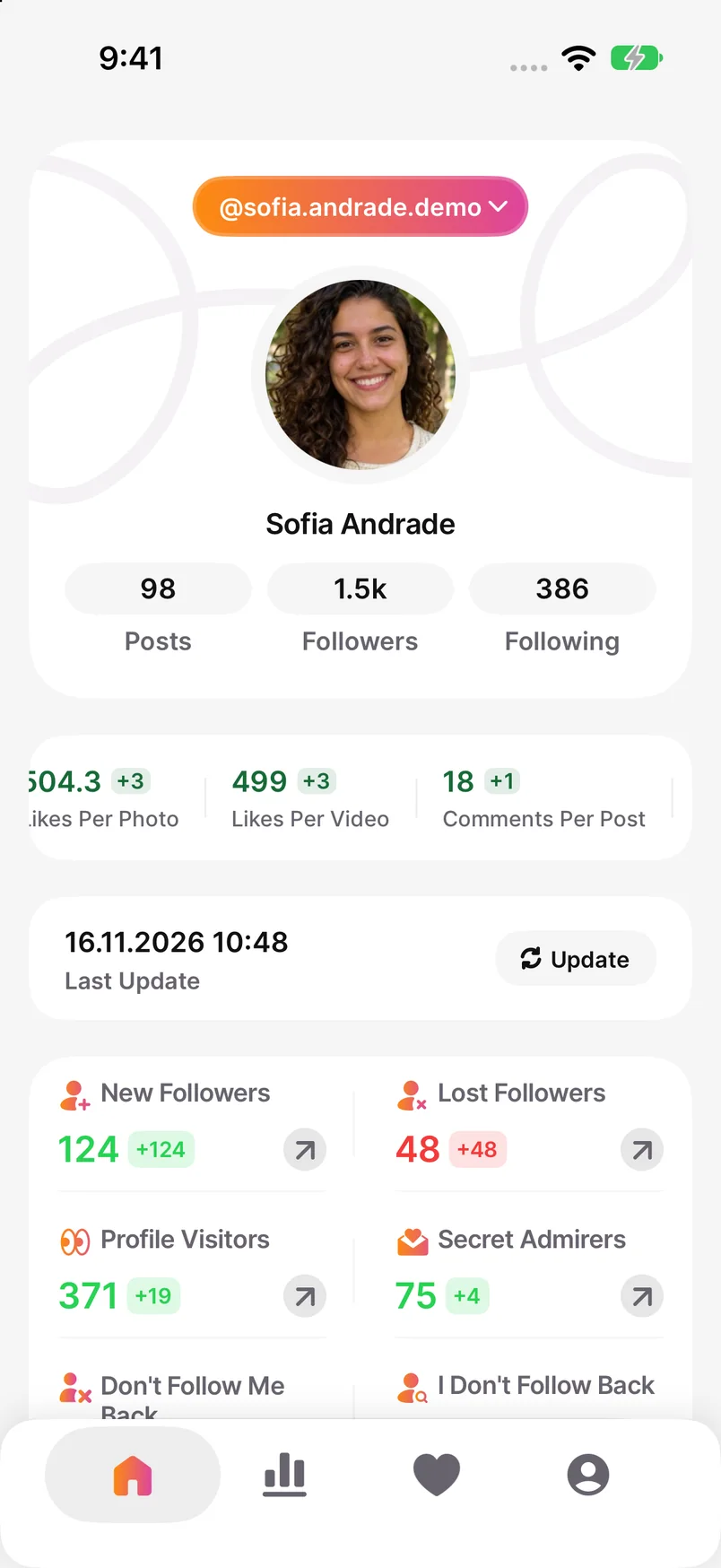
Unfollowers has a report for accounts that don’t follow you back. In Progress, you can revisit saved dates and follower counts; access to the people behind those changes may require Premium. With Premium, you can also follow or unfollow from account lists.
- Add the Instagram account you want to check and wait for the follower and following analysis to finish.
- On Home, open Don’t Follow Me Back to review the current result. Check individual profiles before acting on the list.
- On a later visit, pull down on Home to refresh. Then open Progress to compare the dates available in your saved history.
The download is free. Premium subscriptions cover paid reports and actions, including Unfollow All. The listing includes weekly, monthly and yearly products at different prices. Check the billing period and included features in the offer shown on your iPhone.
Unfollowers on the US App Store Unfollowers on the Indian App Store
Choose it if you plan to check your lists again and keep a history. For a single username, the manual method below takes less setup.
FollowMeter: for follower and engagement reports together
FollowMeter’s developer describes unfollower tracking, accounts that don’t follow back, post performance and engagement-based reports such as top likers. Its setup asks you to connect Instagram by signing in. Consider it if you also want to know which posts get the most likes and who interacts most.
FollowMeter’s features and setup
The developer says core follower tracking is free and lists unlimited history, media analytics and multiple accounts under a PRO subscription. The App Store also lists Plus plans and individual feature purchases, so check the included reports and billing period on the purchase screen.
FollowMeter on the US App Store FollowMeter on the Indian App Store
FollowBuddy: for importing files without an Instagram password
FollowBuddy’s instructions start with an Instagram export. Request only Followers and following, choose All time and JSON, then upload the downloaded ZIP without unzipping it. Open Results after the upload. The app says it does not need your Instagram password.
FollowBuddy’s export and upload instructions
The first file can show which accounts don’t follow back in that record. For unfollower changes, the developer requires checks at least twice on a paid plan. You need to request and upload a fresh export each time; the app cannot show a change that happened after the files were collected.
On iPhone, FollowBuddy is free to download with in-app purchases. Its App Store description says viewing unfollowers requires a subscription, but the version 1.4.3 notes introduce lifetime Premium and Premium Plus purchases. Check whether the offer you choose renews. The website’s Lite and annual Pro plans are separate offers; they do not establish what is included in the iPhone app.
FollowBuddy’s website plans FollowBuddy on the US App Store FollowBuddy on the Indian App Store
Choose this route if you are comfortable preparing files but would rather browse an app’s results than build a spreadsheet. You are sharing the exported account data with FollowBuddy, so select only the follower information it needs.
Instagram and a manual comparison: the free option
For one person, open your own profile in Instagram. Search the exact username in Following to confirm that you follow them, then search the same name in Followers. If it appears only in Following, they are not shown as following you back. Let both searches finish and check the spelling.
For many accounts, export Followers and following and compare the complete lists in Google Sheets. Our no-app guide covers the files, split lists and a working formula. Keep dated exports if you also want to compare changes later.
Compare Instagram lists without another app
This costs no tracker subscription and keeps the comparison under your control. The cost is your time: requesting files, cleaning usernames and saving another copy for a future check. It is a sensible starting point when you only need an answer occasionally.
Before you pay, check the actual result you need
Decide whether you need today’s non-followers, a history of changes or engagement reports. Then check whether that exact view is included in the offer on your iPhone. Read the full billing period, especially for weekly subscriptions, and distinguish a renewing plan from a lifetime purchase. If one free manual check answers your question, you may already be done.
Frequently Asked Questions
Which option works without an Instagram password?
FollowBuddy documents an export-file workflow that does not ask for your Instagram password. You can also compare exported lists yourself. You still sign in to Instagram itself to request the export.
Is there a fully free way to see who doesn’t follow me back?
Yes. Search your Instagram lists for one person, or compare complete exported Following and Followers lists yourself. This does not require a paid tracker.
Can a new app show everyone who unfollowed before I installed it?
Only if comparable earlier records are available. A current list alone cannot identify who used to be on it, and paying for a subscription does not create missing history.